> ## Documentation Index
> Fetch the complete documentation index at: https://trunk-4cab4936-docs-swift-test-xunit-and-xcresult-locations.mintlify.site/llms.txt
> Use this file to discover all available pages before exploring further.
# Swift Testing
> A guide for generating Trunk-compatible test reports with Swift Testing
You can automatically [detect and manage flaky tests](../../detection/) in your Swift projects by integrating with Trunk. This document explains how to configure Swift Testing to output JUnit XML reports that can be uploaded to Trunk for analysis.
## Setup steps
Work through the steps below in order. Once you've finished the last one, you'll be ready to move on to [configure uploads in CI](../ci-providers/).
Generate a compatible test report} />
Configure the report file path or glob} />
Test uploads locally} />
## Generating Reports
Trunk detects flaky tests by analyzing test results automatically uploaded from your CI jobs. You can do this by generating Trunk-compatible XML reports from your test runs.
To output a compatible report, add the `--xunit-output` argument to your Swift test command:
```shell theme={null}
swift test --xunit-output junit.xml --parallel
```
Due to a [known bug](https://github.com/swiftlang/swift-package-manager/issues/4752) with Swift, you must include the `--parallel` flag — without it, XCTest results are never written to a file.
### Report File Path
A single run writes **two** files, and neither is named exactly what you passed to `--xunit-output`:
| File | Contains |
| ------------------------- | ----------------------------------------- |
| `junit-swift-testing.xml` | Swift Testing results (`@Test`, `@Suite`) |
| `junit.xml` | XCTest results (`XCTestCase` subclasses) |
Swift Testing results always land in the `-swift-testing.xml` file, so that is the one to upload for a Swift Testing suite. If your package also contains XCTest cases, upload both files.
Without `--parallel`, the XCTest file is not written at all — see [swiftlang/swift-package-manager#4752](https://github.com/swiftlang/swift-package-manager/issues/4752), open since 2018. The XCTest cases still run and still report in the console, so a package that omits the flag silently uploads only its Swift Testing results.
## Try It Locally
### The Validate Command
You can validate your test reports using the [Trunk Analytics CLI](../../reference/cli-reference). If you don't have it installed already, you can install and run the `validate` command like this:
```bash Linux (x64) theme={null}
SKU="trunk-analytics-cli-x86_64-unknown-linux.tar.gz"
curl -fL --retry 3 \
"https://github.com/trunk-io/analytics-cli/releases/latest/download/${SKU}" \
| tar -xz
chmod +x trunk-analytics-cli
./trunk-analytics-cli validate --junit-paths "./junit*.xml"
```
```bash Linux (arm64) theme={null}
SKU="trunk-analytics-cli-aarch64-unknown-linux.tar.gz"
curl -fL --retry 3 \
"https://github.com/trunk-io/analytics-cli/releases/latest/download/${SKU}" \
| tar -xz
chmod +x trunk-analytics-cli
./trunk-analytics-cli validate --junit-paths "./junit*.xml"
```
```bash macOS (arm64) theme={null}
SKU="trunk-analytics-cli-aarch64-apple-darwin.tar.gz"
curl -fL --retry 3 \
"https://github.com/trunk-io/analytics-cli/releases/latest/download/${SKU}" \
| tar -xz
chmod +x trunk-analytics-cli
./trunk-analytics-cli validate --junit-paths "./junit*.xml"
```
```bash macOS (x64) theme={null}
SKU="trunk-analytics-cli-x86_64-apple-darwin.tar.gz"
curl -fL --retry 3 \
"https://github.com/trunk-io/analytics-cli/releases/latest/download/${SKU}" \
| tar -xz
chmod +x trunk-analytics-cli
./trunk-analytics-cli validate --junit-paths "./junit*.xml"
```
**This will not upload anything to Trunk**. To improve detection accuracy, you should **address all errors and warnings** before proceeding to the next steps.
### Test Upload
Before modifying your CI jobs to automatically upload test results to Trunk, try uploading a single test run manually.
Upload `swift test` reports with the `--swift-test-xunit-paths` argument rather than `--junit-paths`:
```sh theme={null}
./trunk-analytics-cli upload --swift-test-xunit-paths "./junit*.xml" \
--org-url-slug \
--test-collection-id \
--token
```
`--swift-test-xunit-paths` takes a comma-separated list of glob patterns, resolved against your repository root exactly like `--junit-paths`. One pattern covers both files a run writes, or you can name them individually with `"./junit-swift-testing.xml,./junit.xml"`. A file matched by more than one pattern is uploaded once, so overlapping patterns don't duplicate tests.
You can also supply the same list through the `TRUNK_SWIFT_TEST_XUNIT_PATHS` environment variable.
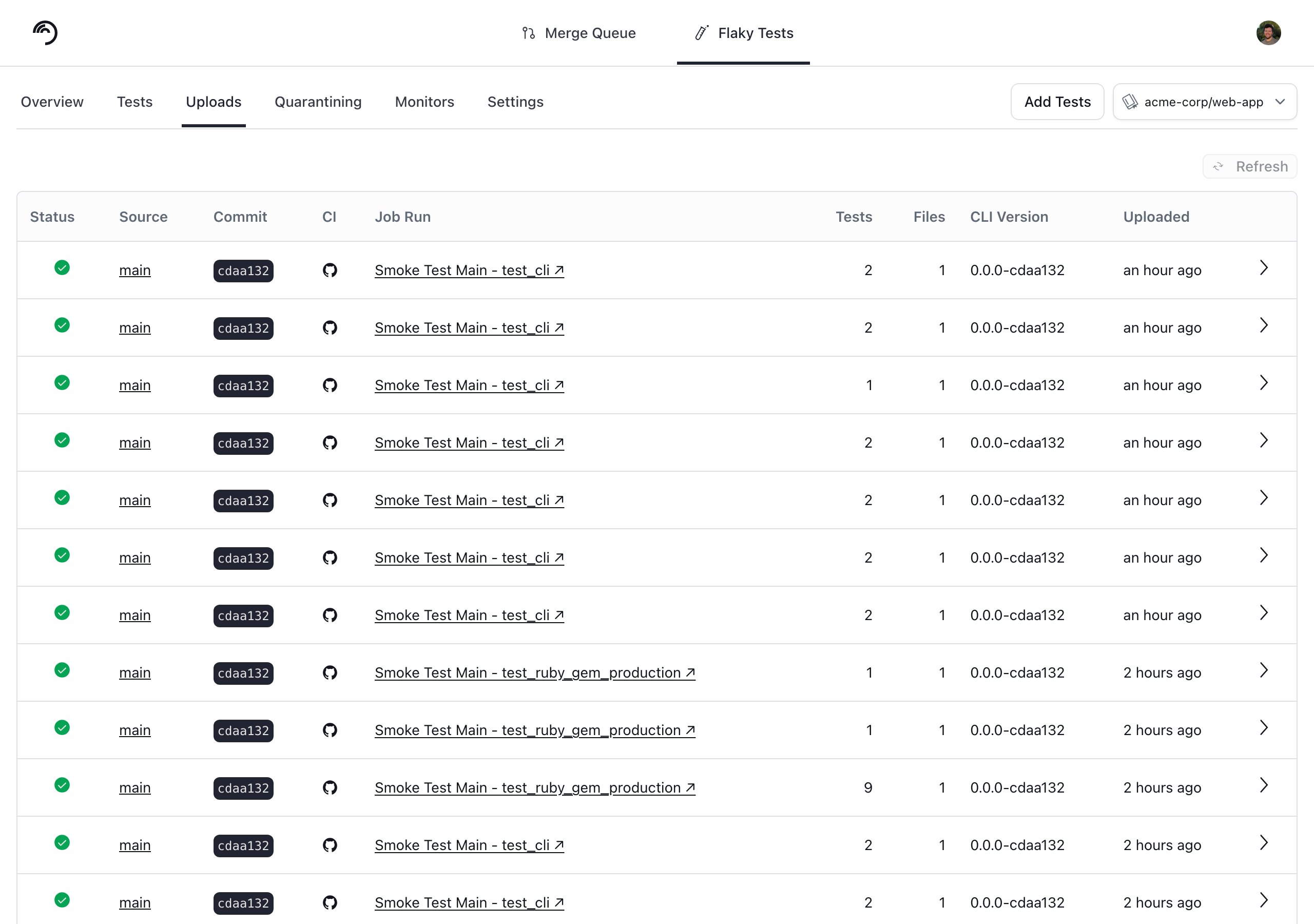
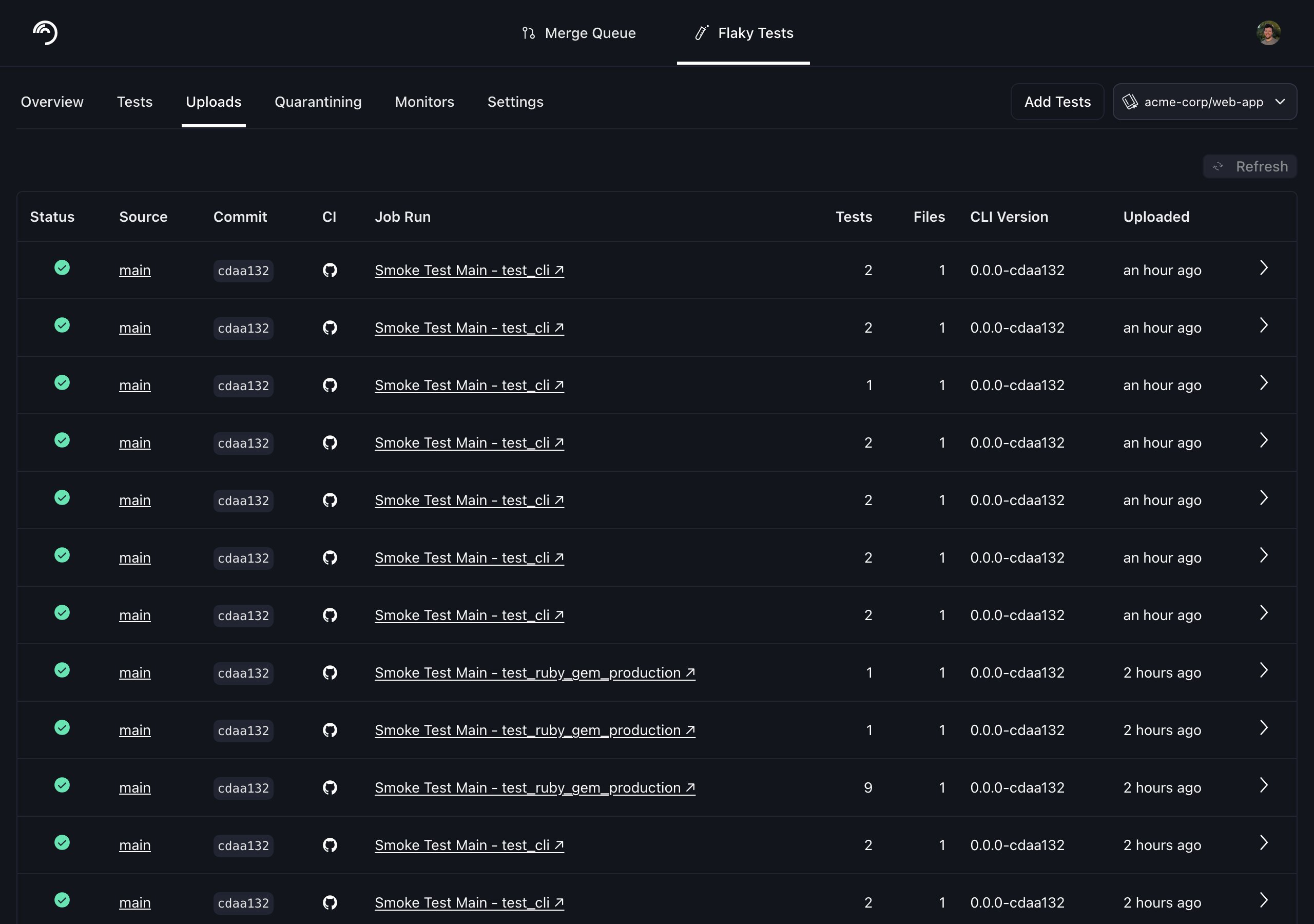
You can find your Trunk organization slug and token in the settings or by following these [instructions](/flaky-tests/get-started/ci-providers/otherci#trunk-organization-slug-and-token). The collection ID identifies the [test collection](/flaky-tests/test-collections) the results belong to, and you copy it from that collection in the Trunk app. After your upload, you can verify that Trunk has received and processed it successfully in the **Uploads** tab. Warnings will be displayed if the report has issues.
 ## Attributing Tests to Their Declaring File
The XML that `swift test --xunit-output` writes carries no file path for any test case. Given `--swift-test-xunit-paths`, Trunk resolves each test to the source file it is *declared* in by asking a language server for the symbols in your checkout — which is what makes CODEOWNERS attribution and file-level links work. Uploading the same files with `--junit-paths` skips that step, and the tests arrive with no file attached.
This requires:
* `sourcekit-lsp`. On Linux it ships with the Swift toolchain and is found on `PATH`; on macOS it is found through `xcrun`, so Xcode or the Command Line Tools is enough.
* The upload to run inside the checkout the tests were built from. Pass `--repo-root` if you run it from elsewhere.
* `trunk-analytics-cli` 0.15.5 or newer.
A test that can't be resolved is left without a file rather than failing the upload. The upload warns when that happens — `N of M swift test case(s) have no declaration under ` — which is usually a sign that the checkout doesn't match the reports.
**Switching from `--junit-paths` resets history for these tests.**
A test's identity includes the file it lives in, so attaching a file to test cases that previously had none changes their IDs. Each affected test starts a fresh history on your first upload with `--swift-test-xunit-paths`, and previously detected flakes reset once.
For the same reason, a test uploaded from an `.xcresult` bundle and the same test uploaded from `swift test` XML are two distinct tests to Trunk. Pick one format per repository rather than uploading both.
## Next Steps
Configure your CI to upload test runs to Trunk. On GitHub Actions, `--swift-test-xunit-paths` is the [`swift-test-xunit-paths` input](/flaky-tests/get-started/ci-providers/github-actions) on `trunk-io/analytics-uploader`. Find the guides for your CI framework below:
## Attributing Tests to Their Declaring File
The XML that `swift test --xunit-output` writes carries no file path for any test case. Given `--swift-test-xunit-paths`, Trunk resolves each test to the source file it is *declared* in by asking a language server for the symbols in your checkout — which is what makes CODEOWNERS attribution and file-level links work. Uploading the same files with `--junit-paths` skips that step, and the tests arrive with no file attached.
This requires:
* `sourcekit-lsp`. On Linux it ships with the Swift toolchain and is found on `PATH`; on macOS it is found through `xcrun`, so Xcode or the Command Line Tools is enough.
* The upload to run inside the checkout the tests were built from. Pass `--repo-root` if you run it from elsewhere.
* `trunk-analytics-cli` 0.15.5 or newer.
A test that can't be resolved is left without a file rather than failing the upload. The upload warns when that happens — `N of M swift test case(s) have no declaration under ` — which is usually a sign that the checkout doesn't match the reports.
**Switching from `--junit-paths` resets history for these tests.**
A test's identity includes the file it lives in, so attaching a file to test cases that previously had none changes their IDs. Each affected test starts a fresh history on your first upload with `--swift-test-xunit-paths`, and previously detected flakes reset once.
For the same reason, a test uploaded from an `.xcresult` bundle and the same test uploaded from `swift test` XML are two distinct tests to Trunk. Pick one format per repository rather than uploading both.
## Next Steps
Configure your CI to upload test runs to Trunk. On GitHub Actions, `--swift-test-xunit-paths` is the [`swift-test-xunit-paths` input](/flaky-tests/get-started/ci-providers/github-actions) on `trunk-io/analytics-uploader`. Find the guides for your CI framework below: